
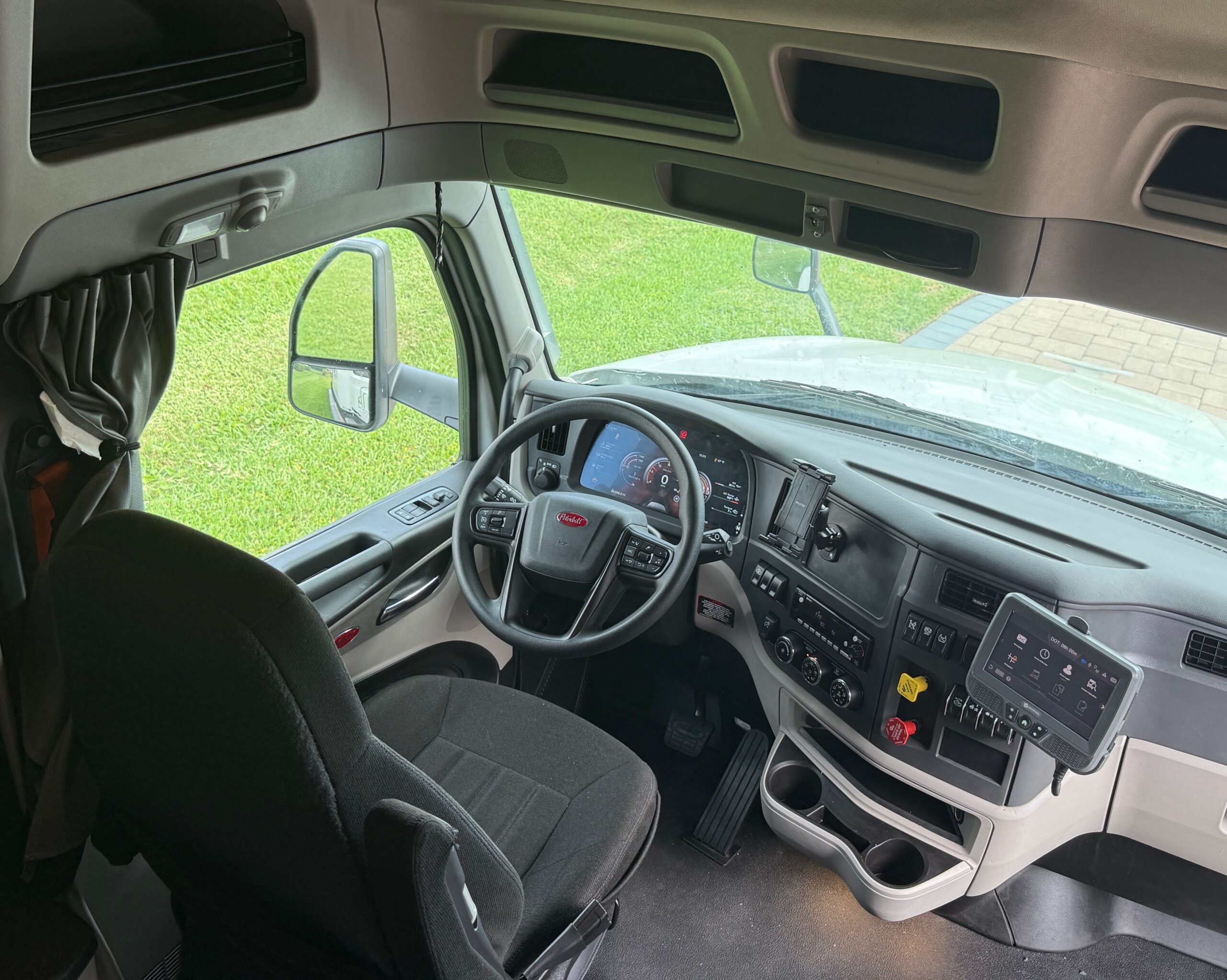
Understanding Your ELD and Hours of Service Rules
If you’re a commercial truck driver, or thinking about becoming one, understanding your Electronic Logging Device (ELD) and Hours of Service (HOS) rules isn’t optional. It’s the law, and violations can cost you dearly in fines, CSA points, and even your CDL. This guide breaks it all down in plain language so you can stay compliant, stay safe, and keep the wheels turning.
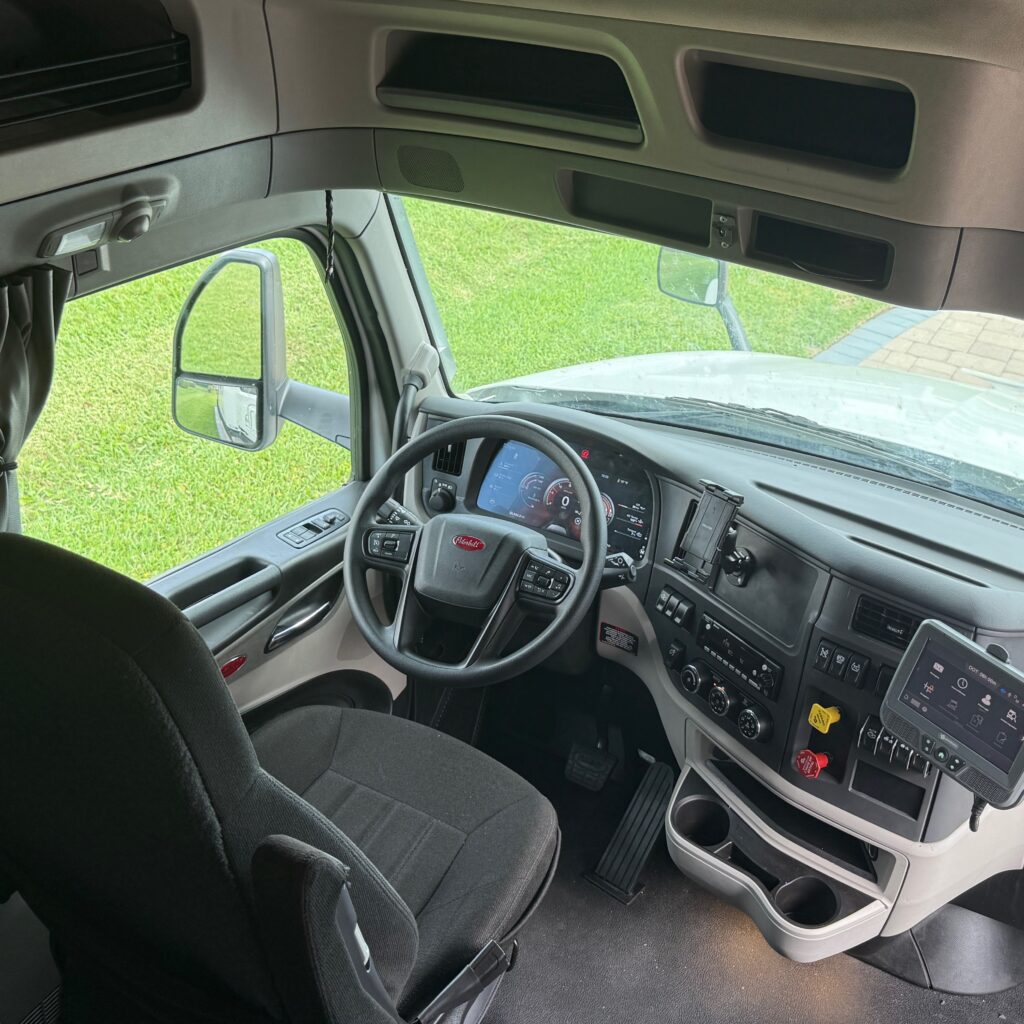
What Is an ELD?
An Electronic Logging Device (ELD) is a piece of hardware that connects to a commercial motor vehicle’s engine and automatically records driving time. It replaced the old paper logbook system and became federally mandated for most commercial drivers under the FMCSA ELD Final Rule, which took full effect in December 2019.
The ELD syncs with the truck’s engine control module (ECM) to track:
- Engine on/off times
- Vehicle movement and miles driven
- Driver duty status (On Duty, Off Duty, Sleeper Berth, Driving)
- Location data
- Driver identification and carrier information
The goal is simple: eliminate falsified paper logs and reduce fatigued driving accidents on U.S. highways.
Who Is Required to Use an ELD?
Most commercial motor vehicle (CMV) drivers who are required to keep Records of Duty Status (RODS) must use an ELD. This generally includes drivers of vehicles that:
- Have a gross vehicle weight rating (GVWR) of 10,001 lbs or more
- Transport hazardous materials in quantities requiring placards
- Are designed to transport 9 or more passengers (including the driver) for compensation
- Are designed to transport 16 or more passengers (including the driver) not for compensation
ELD Exemptions
Not everyone is required to use an ELD. The following drivers are exempt:
- Short-haul drivers who operate within a 150 air-mile radius and return to their home terminal each day
- Drivers using paper RODS for no more than 8 days in any 30-day period
- Driveaway-towaway operations where the vehicle being driven is the commodity
- Vehicles manufactured before model year 2000
Always verify your specific exemption status with your carrier and the FMCSA ELD exemptions page.
Understanding Hours of Service (HOS) Rules
Hours of Service regulations are set by the Federal Motor Carrier Safety Administration (FMCSA) and govern how many hours a commercial driver can drive and work before they must take a break. The rules differ slightly for property-carrying drivers (most truckers) and passenger-carrying drivers (bus drivers). We’ll focus on property-carrying drivers here.
The 11-Hour Driving Limit
You may drive a maximum of 11 hours after 10 consecutive hours off duty. This is your daily driving cap. Once you hit 11 hours behind the wheel, you must stop driving until you’ve taken a full 10-hour off-duty break.
The 14-Hour On-Duty Window
You may not drive beyond the 14th consecutive hour after coming on duty, following 10 consecutive hours off duty. This is your “driving window.” Even if you’ve only driven 6 hours, if 14 hours have elapsed since you came on duty, you cannot drive again until you’ve reset with 10 hours off.
Important: Non-driving on-duty time (loading, unloading, fueling, inspections) counts against your 14-hour window. It does not, however, count against your 11-hour driving limit.
The 30-Minute Break Rule
If you have driven for a period of 8 cumulative hours without at least a 30-minute interruption, you must take a break. The break must be spent in off-duty or sleeper berth status. You cannot be on duty, even if not driving, during this break. Reviewing your HOS logs daily helps catch errors before a DOT inspection.
The 60/70-Hour Weekly Limit
This is the rule that trips up a lot of drivers. You may not drive after putting in:
- 60 hours on duty in any 7 consecutive days (if your carrier does not operate every day of the week), OR
- 70 hours on duty in any 8 consecutive days (if your carrier operates every day of the week)
Your carrier will tell you which cycle applies to you. Once you hit your weekly limit, you cannot drive until enough hours “fall off” the back end of your rolling 7- or 8-day window, or until you take a 34-hour restart.
The 34-Hour Restart
The 34-hour restart allows you to reset your 60- or 70-hour clock by taking at least 34 consecutive hours off duty. After the restart, your weekly on-duty hours reset to zero, giving you a fresh 60 or 70 hours to work with.
There are no longer mandatory overnight requirements for the 34-hour restart as of the 2020 HOS Final Rule. You simply need 34 consecutive hours off.
Sleeper Berth Provisions
If your truck is equipped with a sleeper berth, you have some flexibility in how you split your off-duty time. Under the sleeper berth provision:
- You can split your required 10-hour off-duty period into two periods, as long as one period is at least 7 consecutive hours in the sleeper berth and the other is at least 2 consecutive hours (either off duty or in the sleeper berth)
- Neither period counts against your 14-hour driving window
- The two periods together must total at least 10 hours
This is a powerful tool for team drivers and solo drivers who want to maximize their available driving time. Used correctly, the sleeper berth split can effectively pause your 14-hour clock. It’s a big part of what makes team-based expedited freight run the way it does.
The 4 Duty Statuses on Your ELD
Your ELD tracks four duty statuses. Understanding when to use each one is critical for accurate logs:
- Off Duty (OFF): You are completely relieved of all responsibilities. Personal time, rest at home, etc.
- Sleeper Berth (SB): You are resting in the truck’s sleeper berth. Used for the sleeper berth split provision.
- Driving (D): The vehicle is in motion. Your ELD switches to this automatically when the truck moves above 5 mph.
- On Duty Not Driving (ON): You are working but not driving. Pre-trip inspections, loading/unloading, fueling, waiting at a shipper, etc.
Your ELD will automatically record “Driving” status when the truck moves. All other status changes must be made manually by the driver. Failing to update your status accurately is a log falsification violation.
Personal Conveyance and Yard Moves
Two special ELD annotations can save you hours when used correctly:
Personal Conveyance (PC)
Personal Conveyance allows you to drive the CMV for personal use while off duty, such as driving to a restaurant, a hotel, or a nearby location for personal reasons. Time spent in PC status does not count against your HOS. However, it must be used legitimately. The FMCSA’s PC guidance is clear: you cannot use PC to advance a load or benefit the carrier.
Yard Moves (YM)
Yard Moves allow you to move the truck within a secure yard or terminal while remaining in On Duty Not Driving status. This is used when spotting trailers, moving between dock doors, or repositioning within a facility. YM time counts as on-duty time but does not count as driving time.
Common HOS Violations to Avoid
DOT officers look for these violations during roadside inspections. Each carries CSA points and fines:
- Driving beyond the 11-hour limit, one of the most serious violations
- Driving beyond the 14-hour window, equally serious
- False logs / log falsification, a federal offense that can end your career
- Skipping the 30-minute break after 8 cumulative hours of driving
- Exceeding the 60/70-hour weekly limit
- ELD malfunction not reported. You must report malfunctions to your carrier within 24 hours and revert to paper logs
- Incorrect duty status entries, like forgetting to log on-duty time for pre-trip inspections, fueling, etc.
What Happens During a DOT Inspection?
During a Level 1 or Level 3 DOT inspection, the officer will ask you to display your ELD. You must be able to show your logs for the current day plus the previous 7 days. Your ELD must have a display mode that allows the officer to view your logs without you having to hand over your device. This is called the “roadside display” function.
If your ELD malfunctions during an inspection, you must have paper logs available as a backup. Carriers are required to provide drivers with blank paper log forms for this reason. You have 8 days to reconstruct logs on paper after a malfunction before you must have a functioning ELD again.
For a full breakdown of what inspectors look for, check out our article on DOT Roadside Inspections and Practical Maintenance.
Tips for Staying HOS Compliant
- Plan your day before you start driving. Know your pickup and delivery windows and map out your HOS accordingly.
- Update your duty status in real time. Don’t wait until the end of the day to log your on-duty time. It leads to errors and violations.
- Use your 30-minute break strategically. Take it at a fuel stop or shipper/receiver to avoid wasting driving time.
- Communicate with dispatch. If you’re running low on hours, tell your dispatcher before you’re out of hours, not after.
- Know your 34-hour restart window. If you’re burning through your weekly hours, plan a restart before you hit zero.
- Review your logs daily. Check for errors, missing entries, or unassigned driving events and correct them promptly.
- Keep paper logs handy. Even with an ELD, always have blank paper log forms in the truck for malfunctions.
Useful ELD and HOS Resources
- FMCSA ELD Overview — Official federal ELD mandate information
- FMCSA HOS Summary — Full breakdown of all HOS rules
- FMCSA Personal Conveyance Guidance — When and how to use PC status
- FMCSA Driver Safety Tips — General safety guidance for CMV drivers
- FMCSA CSA Portal — Check your safety measurement scores
Final Thoughts
Your ELD and HOS rules exist for one reason: to keep fatigued drivers off the road and everyone safer. Yes, the rules can feel restrictive when you’re trying to make a delivery window, but the consequences of a violation, or worse, a fatigue-related accident, are far greater than any missed appointment.
Learn your rules cold, plan your days smart, and use every legal tool available (sleeper berth splits, personal conveyance, 34-hour restarts) to maximize your productivity within the law. The best drivers aren’t the ones who push the limits. They’re the ones who know the rules well enough to work them to their advantage.
If you’re looking for a carrier that values compliance and treats its drivers right, schedule a call with M2GT and let’s talk about what we can offer you. You can also visit our Owner Operator page for more information.
If you enjoyed this article, please check out our other stories from the road and our Trucking 411 articles — Keep the Shiny Side Up!